Sns Ransomware
Ransomware remains one of the most disruptive cyberthreats facing individuals and organizations. These malicious programs can take control of data, demand payments, and even threaten to leak stolen information. Protecting devices with proper security measures has become not only essential but critical for maintaining privacy, business continuity, and financial stability. One notable example of this growing menace is Sns Ransomware, a dangerous strain linked to the notorious Makop ransomware family.
Table of Contents
What Is Sns Ransomware?
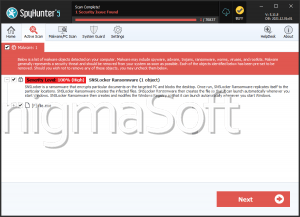
Sns Ransomware is designed to encrypt files on compromised systems and extort victims for payment in exchange for decryption. Once it infiltrates a device, it alters filenames by adding a unique victim ID, the attackers' email address, and the '.sns' extension. For example, a file named 1.png becomes 1.png.[2AF20FA3].[stolenrans@hotmail.com
].sns.
Following encryption, the ransomware drops a ransom note in a file named '+README-WARNING+.txt' and changes the desktop wallpaper to emphasize its demands. Victims are told that not only has their data been encrypted but also exfiltrated, with the threat of public release if contact is not made. The note warns against using decryption tools or third-party help, claiming such actions could render files permanently inaccessible.
Why Paying the Ransom Is a Mistake
Although the ransom note promises decryption in exchange for payment, victims have no guarantee that cybercriminals will honor their end of the deal. Many cases show that even after paying, victims never receive a working key. Beyond the risk of losing money, paying fuels the ransomware ecosystem, encouraging criminals to target more victims.
Removing Sns Ransomware can stop further encryption, but it does not restore files that are already locked. The safest recovery method is restoring data from backups created before the infection.
How Sns Ransomware Spreads
Like many ransomware families, Sns relies on multiple distribution channels to maximize infections. Cybercriminals often use:
Phishing and social engineering – Malicious attachments or links in emails/messages disguised as legitimate content.
Malware loaders and trojans – Programs that secretly drop ransomware on the victim's device.
Drive-by downloads and malvertising – Hidden infections triggered by visiting compromised or deceptive websites.
Pirated content and fake updates – Cracked software, 'free' downloads, or bogus update prompts carrying hidden payloads.
Additionally, some variants are capable of spreading across local networks or via removable storage devices, amplifying their destructive impact.
Strengthening Your Defenses Against Ransomware
To stay resilient against ransomware like Sns, users should adopt strong, layered security practices. A few essential measures include:
Core Protection Practices
- Keep operating systems, applications, and security tools updated at all times.
- Deploy reputable antivirus and anti-malware solutions capable of detecting ransomware behaviors.
- Regularly create offline or cloud backups of important files to ensure recovery options remain available.
- Use strong, unique passwords and enable multi-factor authentication where possible.
Safe Online Habits
- Be highly cautious when handling email attachments and embedded links, even if they appear to come from trusted sources.
- Avoid downloading software or media from questionable websites, torrents, or peer-to-peer networks.
- Refrain from using software cracks, pirated programs, or fake system update tools.
- Disconnect unused external storage devices and secure local networks to prevent lateral spread.
Final Thoughts
Sns Ransomware represents a dangerous evolution of the Makop family, combining strong encryption with data theft and extortion tactics. While decryption without the attackers' cooperation is highly unlikely, prevention remains the most effective defense. By practicing robust cybersecurity hygiene, maintaining reliable backups, and avoiding risky online behavior, users can significantly reduce the risk of falling victim to ransomware attacks.