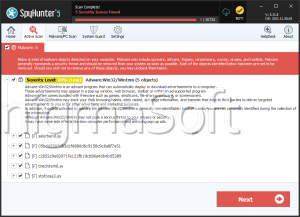
FIND Ransomware
Protecting your devices from malware has become a necessity rather than a choice. Cybercriminals continue to evolve their tactics, crafting increasingly complex ransomware strains designed to exploit even minor security weaknesses. FIND Ransomware, a recently discovered variant from the notorious Dharma family, exemplifies the sophistication and persistence of modern ransomware operations.
Table of Contents
Inside the FIND Ransomware Attack
FIND Ransomware operates with the same ruthless efficiency that has made Dharma one of the most active ransomware families. Upon execution, the malware begins encrypting the victim's files, rendering them inaccessible. In the process, it renames each file by appending the victim's unique ID, an attacker-controlled email address, and the '.FIND' extension — for example, renaming '1.png' to '1.png.id-9ECFA84E.[findourtxt@tuta.io
].FIND.' Another observed variant of this threat uses the '. FIND5' extension instead.
After encryption, the ransomware delivers its demands through two channels — a pop-up message and a ransom note file titled 'info.txt.' The note informs victims that their files have been encrypted and instructs them to contact the attackers via one of two email addresses — 'findourtxt@tuta.io' or 'findourtxt@mailum.com' — using their assigned ID.
The ransom note further claims that some of the victim's data has been exfiltrated and warns that failure to comply will result in the stolen information being sold or shared with third parties. It also discourages victims from renaming files or attempting to decrypt data using third-party tools, alleging that such actions could lead to permanent data loss or higher ransom demands.
How FIND Ransomware Operates
Like other Dharma variants, FIND Ransomware follows a multi-step infection process designed to maximize impact and persistence. Once active on a system, the malware encrypts files across both local and network drives, targeting a wide range of data types and even deleting Volume Shadow Copies to prevent easy recovery.
It also tampers with system settings by disabling the Windows Firewall, establishing persistence by placing copies of itself in the %LOCALAPPDATA% directory, and adding entries in the Run registry keys. Additionally, some Dharma-based variants gather location data and may exclude specific system folders or drives from encryption, likely for operational or strategic reasons.
Infection Vectors and Distribution Channels
FIND Ransomware, like its predecessors, spreads through a combination of deceptive and opportunistic methods. Cybercriminals employ phishing campaigns, malicious attachments, and fraudulent links embedded in emails to trick users into initiating the infection. Other common distribution methods include:
- Drive-by downloads from compromised or malicious websites.
- Installation through pirated software, fake updates, or cracked applications.
- Exploitation of unpatched software vulnerabilities and weak Remote Desktop Protocol (RDP) configurations.
- Malicious advertisements, P2P networks, and infected removable drives (USBs).
Once installed, FIND encrypts critical data and demands payment, often in cryptocurrency, to provide a decryption key — though there is no guarantee that payment will lead to successful recovery.
Best Security Practices to Stay Protected
Defending against ransomware like FIND requires a layered and proactive approach. Users and organizations can significantly reduce the risk of infection by implementing the following essential practices:
- Strengthen Device and Network Security:
- Regularly update operating systems, browsers, and software to patch known vulnerabilities.
- Configure firewalls and antivirus tools to detect and block suspicious activities.
- Disable RDP access if not needed or restrict it through strong passwords, multi-factor authentication, and IP whitelisting.
- Practice Safe Browsing and Email Habits:
- Avoid opening unsolicited attachments or clicking on links from unknown senders.
- Download software only from reputable sources and avoid torrents or cracked programs.
- Exercise caution when responding to unexpected 'urgent' or 'security alert' messages.
- Maintain Reliable Backups:
- Keep offline or cloud-based backups of essential data.
- Ensure backup devices are disconnected after use to prevent encryption during an attack.
- Educate and Prepare:
- Train all users on identifying phishing attempts and malicious behavior.
- Develop an incident response plan outlining clear steps for isolating infected systems and restoring operations.
Final Thoughts
FIND Ransomware represents yet another evolution in the persistent and destructive Dharma family. By encrypting valuable data, tampering with security settings, and leveraging psychological pressure through ransom notes, this malware poses a serious threat to both individuals and organizations.
Maintaining strong cybersecurity hygiene, staying vigilant against suspicious online activity, and keeping regular data backups remain the most effective defenses against such ransomware threats.